Spoken alerts before each Los Angeles speed camera zone on the road you’re driving, with the posted speed limit. Keep using Google Maps or Waze; the alerts play over them, through your phone or your car speakers.
How to install
- Open this page on your Android phone and tap Download the APK.
- Open the downloaded file. If Android asks, allow your browser to install unknown apps.
- Tap Install. If Play Protect shows a warning about an unknown developer, tap More details → Install anyway.
- Open Speed Alert LA, allow location While using the app and notifications.
Updates
The beta does not update itself. Download the newest APK from this page and install it over the old one; your settings stay.
Battery settings
Some phones close background apps to save battery. Open Settings → Apps → Speed Alert LA → Battery and choose Unrestricted.
What’s in the app
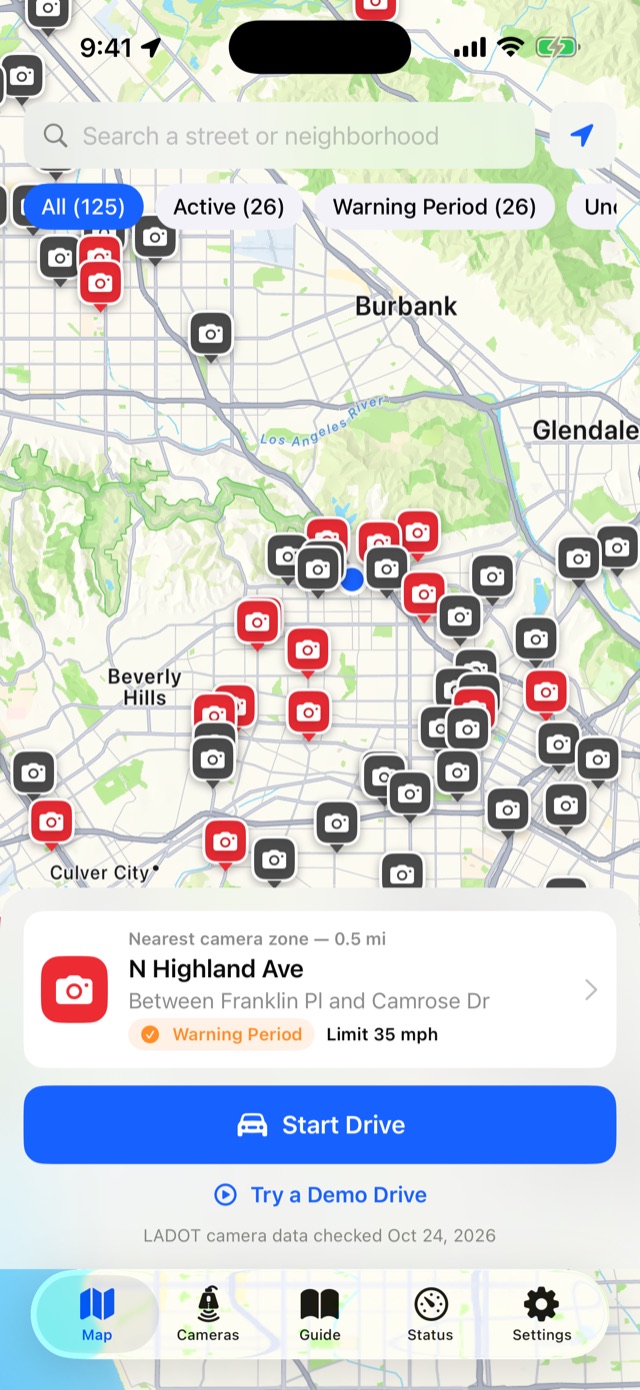
- A map and list of all 125 LA speed camera locations from LADOT’s official list.
- Alerts only for cameras ahead of you on your road, one per zone.
- A guide to tickets, the 60-day warning period and contesting a notice.
- No account; your location never leaves the phone.
Questions or problems: [email protected]